Step-1:
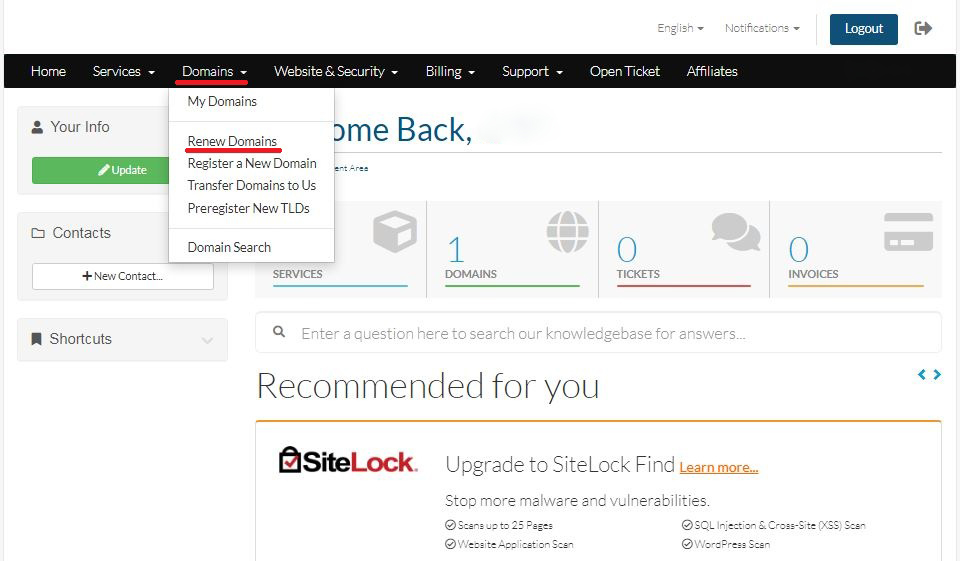
Login to your Hosting Walay client portal and click on the Domains and select Renew Domains as shown by the Red Box in the image.
Step-2:
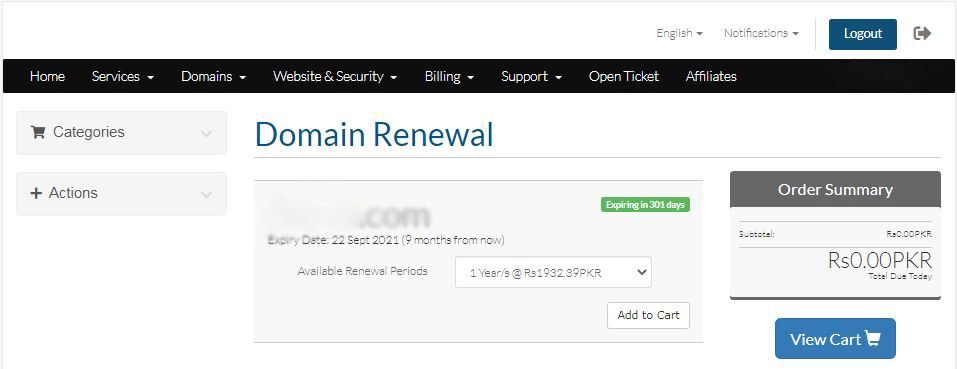
Select your domain that you wish to renew.

Step-1:
Login to your Hosting Walay client portal and click on the Domains and select Renew Domains as shown by the Red Box in the image.
Step-2:
Select your domain that you wish to renew.